


-
Delen
-

-

-

-

Bijgewerkt 3 Dagen geleden
Gekleurde papieren kopie: Selecteer kleuren voor helder, Georganiseerde documenten
admin

Kleurrijke documenten op een stapel zijn ook makkelijker te sorteren dan een stapel witte documenten. Echter, colour can only be of assistance if people can interpret it and can still identify, print and reproduce information clearly.
If you are looking for “colored paper copy,” often that's what people are looking for: coloured copy paper, or tinted paper for office printing and copying. From an administrative, teaching or internal print team's perspective, the most acceptable way to work with paper colour is as a working document tool. Begin with a sorting problem and select a limited color palette and see how it goes beyond the first print edition of the document.
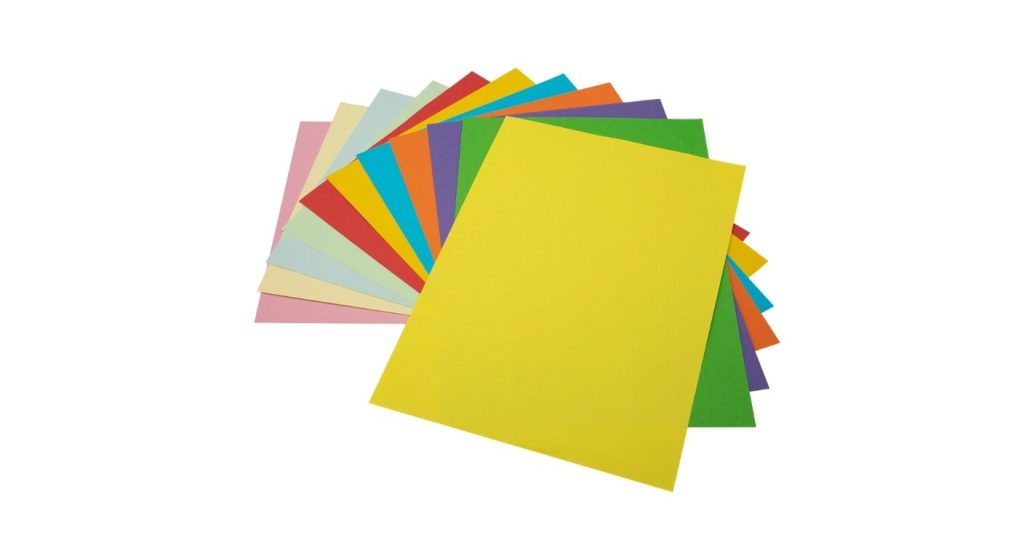
Provide Clear Job for Every Colour
Colour is best used to provide a helpful answer to a useful question at a single glance. A training centre may differentiate the documents of its participants from the documents of the facilitators, and an office may differentiate the documents for reference from the documents for action.
Select categories that do not change very often to allow users to learn them. In other departments, the same shade may be interpreted differently, adding to the confusion and not alleviating it. Instead of assigning each colour available a purpose, start with a few distinct categories.
Jinbao's colour copy paper comprises a number of colour options for office or education use. Choose from that selection based on the type of document you are looking for and not just the number of shades!
Always print the category name on the page too). Colour should be used to aid identification, as lighting, vision difficulties, photocopying and digital reproduction may make it hard to pick out the original tint.
| Paper Shade | Printed Identifier | Example Document | Intended Destination |
| Pale yellow | ACTION REQUIRED | Approval request | Assigned reviewer |
| Pale blue | REFERENCE COPY | Procedure extract | Department reference file |
| Pale green | COMPLETED RECORD | Finished inspection form | Records team |

Select the shade contrast first, before selecting a favourite colour.
If readers have trouble reading the text on a colourful sheet, it is not as useful. Evaluate the paper with the darkest or smallest information in the document, under normal working light.
The use of pale backgrounds is usually a good choice for black text, but no colour name can be read. The “yellow” or “blue” may be a noticeable difference in color of a supplier. Jinbao's Gele kopiepapier en blue copy paper pages serve as product references; actual samples will be required for determining the proposed shade.
Print complete pages with handwriting areas, shaded boxes, fine print and headings. Double-sided if duplexing. A good title doesn't necessarily mean that small instructions or filled-in form fields will be clear.
Save a copy of the approved shade dated. Screen shots and photos are useful for the discussion but can vary depending on the lighting, camera processing and display settings.
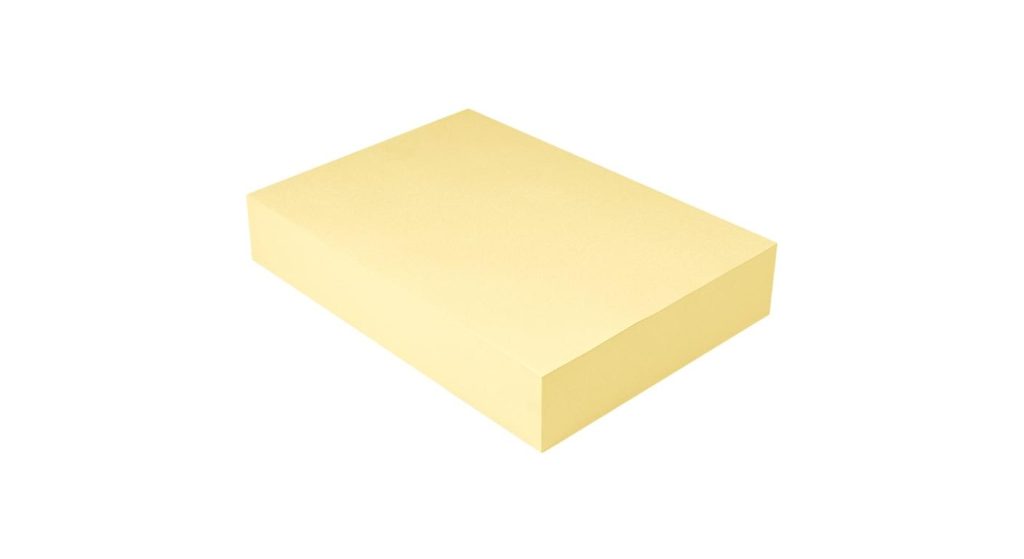
Differentiate between Coloured Stock and Colour-Printed Artwork
Tinted paper and colour printing address different issues. A monochrome printer can be used to print the text and coloured stock can provide an identifying background for the whole sheet. Printing on a white base allows more flexibility and control with individual graphics, illustrations and branding.
Printing black text on coloured stock may be a good solution for a simple notice or document divider and may also save printouts from a big coloured background. The cost savings will vary based on the stock price, printing costs, waste and the actual production process.
There is a need for separate reviews of photographs and brand colours. In standard office printing (not white ink or toner) the paper colour affects unprinted areas and can alter the resulting colours of prints. A white area in the work generally reveals the coloured sheet that lies underneath.
When precise image reproduction is critical, try out a proof on a white paper first before opting for tinted paper stock. If you need to have fixed artwork and text that changes, talk with your supplier about the order of printing and equipment needed.
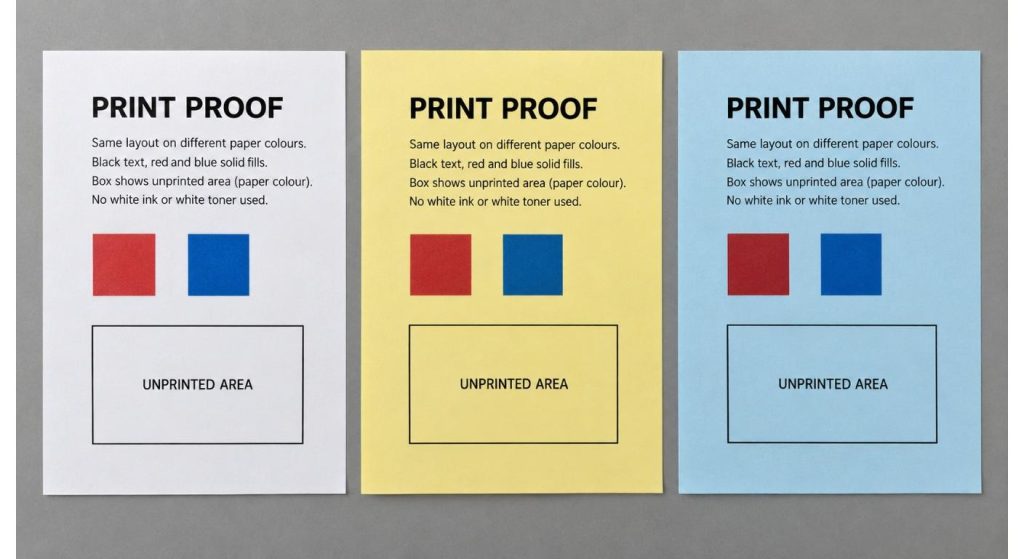
Paper for the Intended Machine (PITM) – prove the paper in the intended machine.
Coloured craft paper, card stock and office copy paper are not necessarily interchangeable. Make sure the suggested grade is compatible with the printer technology, Papiergewicht, size and feed path of the job.
In both laser printing and ink-jet printing, the paper must have the correct characteristics to absorb the ink and allow it to dry. Take equipment manufacturer's advice on what mediums they've tested and used and don't assume that any smooth coloured sheet will work.
Print a representative set of prints including duplex if required. Check feeding, curling, adhesion and drying of image from the first to the last sheet. If the device has a paper-type setting that is applicable, set the device as directed by the device.
Jinbao's A4 colour copy paper serves as a starting point for discussion of the required grade for projects that require a plain A4 copy paper. Ensure that the full colour and specification being supplied is confirmed, and not just a general ‘compatible’ statement.
Planning for the Copy and Scan To Come Later
A colour based filing system can be lost if a person copies it in monochrome. Even when two paper shades print out as a similar grey background, the identification is maintained through the category names, document codes and clear headings.
Use the settings you would use on a daily basis to scan a sample that is completed. Read small text, handwritten and information above shaded areas. If OCR is being used, check the OCR'd text and the PDF itself.
Some scans can be enhanced by background-removal software, but tint used for identification can also be removed. Determine the required output of the digital record, whether it should reflect the aesthetics of the paper, or simply be easily readable content and test the selected setting.
Don't think that the coloured stock has to be used in every document. If a form is required to go through an outside scanning or submittal process, it should be submitted in accordance with the requirements of that outside entity. Maintain an alternative (on white paper) indien nodig.
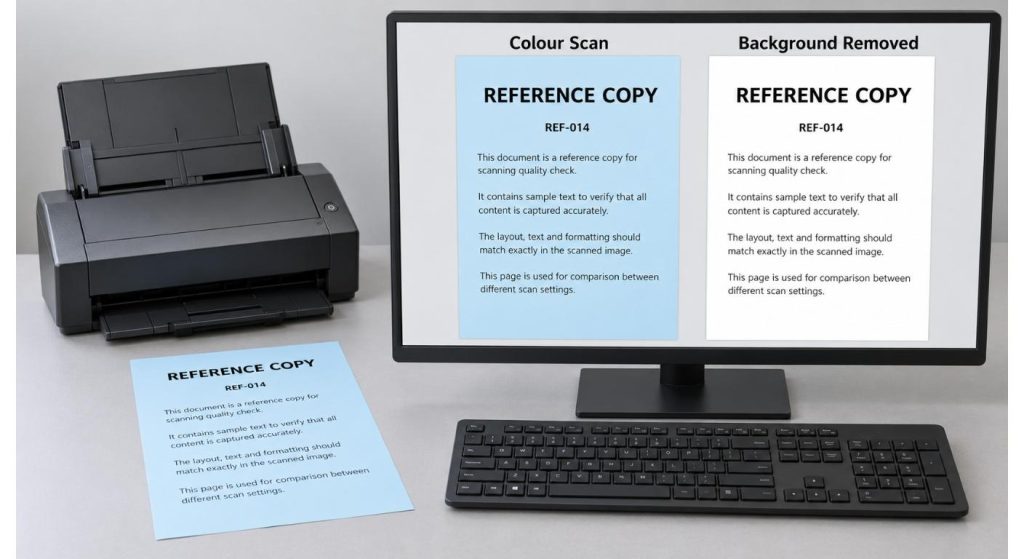
Don't buy a random set of colors, buy a Repeatable Palette.
After a pilot is selected, convert the selected color palette to a specific purchase order. Make note of the supplier's colour ref., the size of the sheets, the grammage, the number of packs and the approved sample date for each item.
Verify the set up of different packs. Equal amounts of various colors can work well for some activities, but if one color is used most of the time, it is not very effective. When there are discrepancies in the demand, replenishment may be made easier by means of separate colour orders.
For larger programmes, talk about the shade identification and packaging with Jinbao's customization service. Inquire about repeat orders and agree upon an acceptable process to check for variation against the approved sample. When documents of different deliveries are presented side by side the reference “same colour name” is not adequate.
Keeping paper in its protective wrapping until use, according to instructions from the supplier. Check usage following launch – e.g. forms that are no longer used or sorting mistakes. A successful palette isn't a palette made up of more coloured reams in storage, but rather one that makes work clearer.
Conclusie
Colour copy paper is best suited where colour is used consistently with a purpose. Match each shade to legible text, show verification of the shade in the intended equipment and maintain the copy and scan of the shade identification. A limited (repeatable) palette provides buyers with a viable framework for ordering, and users with a document system that they can understand.
Veelgestelde vragen
Q1. Are there any differences between coloured copy paper and colour printing paper?
Tinted stock is typically coloured copy paper. You shouldn't rely on the word alone; paper could be white, if it is meant for colour printing.
Q2. Is it possible to print black text on coloured paper?
Yes if appropriate for the printer. Experiment with the proposed shade as contrast of the text will rely on the darkness of the shade and on the layout of the document.
V3. Will the pictures printed on tinted paper look the same as those on white paper?
Niet per se. The outcome may be affected by the colour of the sheet being used, especially when a printer is not employing white ink/toner. First get a physical proof approved.
Q4. Will coloured paper be scanned?
Ja, but it will vary based on the document and the settings. Test readability and background removal, and how this alters information utilized for identification.
V5. Which packs should I choose: Assorted or single colour?
Myk Package is a combination of different packs for different occasional use. When different categories of documents require varying amounts of resources, single colour packs might be more useful.
We gaan terug naar binnen 24 Uren
Gerelateerde artikelen
Fabrikant van thermische papierrollen: Evalueer wat er gebeurt na de goedkeuring van het voorbeeld
2026-10-30
A4 Warmteoverdrachtspapier: Kies het juiste systeem voor kledingdrukwerk
2026-10-30
Thermisch Papier A4: Selecteer de juiste voorraad om onderweg te printen
2026-10-29
Papierrol Thermische Inventarisatie: Koppel de levering aan het echte gebruik
2026-10-29
